See what you really eat


Track meals without the spreadsheet.
Take a photo, scan a barcode or tap something you’ve eaten before. GyroTrack works out the calories and macros, you give them a quick check, and you’re done.
 Protein86gof 112g
 Carbs142gof 304g
 Fat53gof 62g
The app screens on this page show example data.
Just take a photo of your plate
Take a photo, or pick one from your camera roll. GyroTrack figures out what’s on the plate, estimates each ingredient and adds it all up for you.
If it gets something wrong, say it thinks you had 180 g of rice when it was closer to 120 g, change the number and the totals sort themselves out.

Pork souvlaki
Dinner • Today • 7:20 pm
580 kcalEnergy
45gProtein8gCarbs40gFat 1gFibre
 3gSugar
 690mgSodium
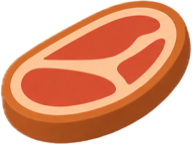 Pork souvlaki with tzatziki
 Delete
 Edit meal
Scan the barcode on anything packaged
Hold your camera up to the barcode and GyroTrack pulls up the product with its nutrition per serving. Only had half the tub? Set the amount before you save it.
Meals you have all the time
 Greek yoghurt & bananaQuick add260 kcal
 Overnight oatsFavourite390 kcal
 Salmon & greensFavourite520 kcal
Save them once and they’re a tap away from then on.
Daily targets that are actually yours
Tell GyroTrack your goal, your measurements and how active you are on a normal day. It’ll set targets for calories, protein, carbs and fat that you can realistically stick to.
Apple Health can fill in your age, height and weight so you don’t have to type them. And if a dietitian has already given you numbers, you can put those in instead.
Your starting
targets
Built from your goal, measurements and usual activity.
2220kcal
Balanced near the energy you are estimated to use on a normal day.
These are starting estimates. Calories and protein can be adjusted later; carbs and fat stay balanced with the energy total.
Look back over your week
Each day gets its own ring. The weekly overview shows your averages, how you went with each macro, and which day was your best, along with why.
- Meals logged
- 11
- Daily average
- 2,060 kcal
- Best day
- Tuesday
- Streak
 4 days
How GyroTrack handles your food and your data
- You can check every estimateAI can get a portion wrong or miss a sauce, so every result lists its ingredients and you can fix anything that’s off.
- We don’t sell your dataYour personal information isn’t for sale, and nothing from Apple Health is ever used for advertising.
- Delete everything whenever you likeIf you delete your account in the app, your meals, photos and profile are removed from GyroTrack’s active systems.
Common questions
When does GyroTrack launch?
Soon. It’s in beta testing at the moment. If you join the waitlist, we’ll email you as soon as it’s on the App Store.
What does it cost?
Right now there’s nothing to pay for. If that changes down the track, you’ll see the price clearly in the app before you’re charged anything.
Which devices does it work on?
GyroTrack is made for iPhone.
How accurate are the estimates?
Treat a photo result as a good estimate rather than an exact measurement. Oil, sauces and portion sizes are hard to judge from a picture, which is why every result shows its ingredients and amounts. If something looks off, change it and the totals update. Barcode results come from public product databases, so it’s worth a quick look at the packet too.
Do I have to connect Apple Health?
No, that’s up to you. If you turn it on, GyroTrack can fill in your age, height and weight during setup and show your daily steps. It never writes anything back to Apple Health.
Can I see kilojoules instead of calories?
Yep. Pick kJ or kcal in settings and the whole app switches over.
What happens to my meal photos?
When you ask for an estimate, the photo goes to our AI provider so it can be analysed. We never sell your photos or use them for advertising, and if you delete your account they’re removed from GyroTrack’s active systems. Our Privacy Policy has the full details.
Is GyroTrack medical advice?
No. GyroTrack gives general nutrition estimates to help you understand what you’re eating. It isn’t a medical device, and it doesn’t replace advice from your doctor or dietitian.
Want in when it launches?
Join the waitlist and we’ll email you the day GyroTrack hits the App Store. You might get the odd sneak peek before then too.